Pre
Optional setup before filter chains run.
- Auto-assign filters from FITS keywords or file names
- Compose RGB from R+G+B, fill the RGB row, clear R/G/B
PixInsight script · v1.3
Pre can assign filters and compose RGB. Each filter row runs its own processing chain. Post finishes with HDR, LRGB, Star Stretch, HistogramTransformation and PixelMath.
Named presets live inside PixInsight. Export and Import share .bpshrast files. Empty rows are skipped.
Download 1.3 Read the tutorialThe dialog has three collapsible sections: Pre, Images, and Post. Collapse what you do not need on smaller screens. At the bottom, presets and Export/Import store the full setup.
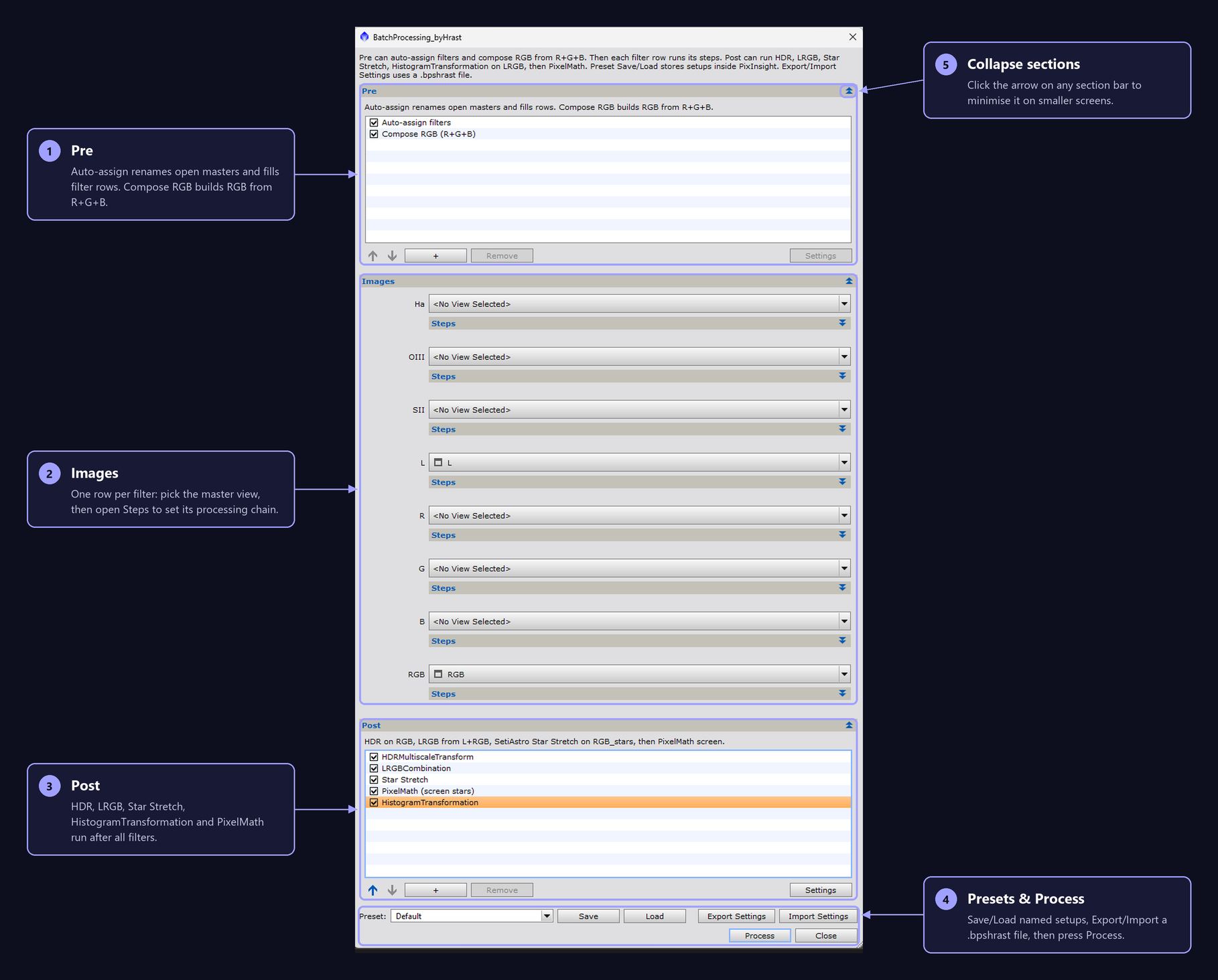
Optional setup before filter chains run.
Each checked filter runs its Steps. Post then works on RGB / LRGB / RGB_stars with configurable input and output view names.
Built-in Steps per filter. Optional AI tools are included; if missing they are skipped. You can reorder and add icons.
Version 1.3 for PixInsight 1.9.5. BlurXTerminator, NoiseXTerminator, StarXTerminator, SpikeLessAI and BlurlessAI are optional. Missing steps are labeled not installed and skipped.
Download 1.3BatchProcessing_byHrast-1.3.zip
Prefer automatic updates? Add this site as a PixInsight repository — the steps are just below. PixInsight then installs the script and offers every new version through Check for Updates.
Add this site as a PixInsight repository. PixInsight then installs the script and updates it automatically.
What changed in each release of BatchProcessing_byHrast.
Developing BatchProcessing_byHrast takes a lot of time and effort, so I would be grateful for a tip. I believe the script will save you a lot of time.